
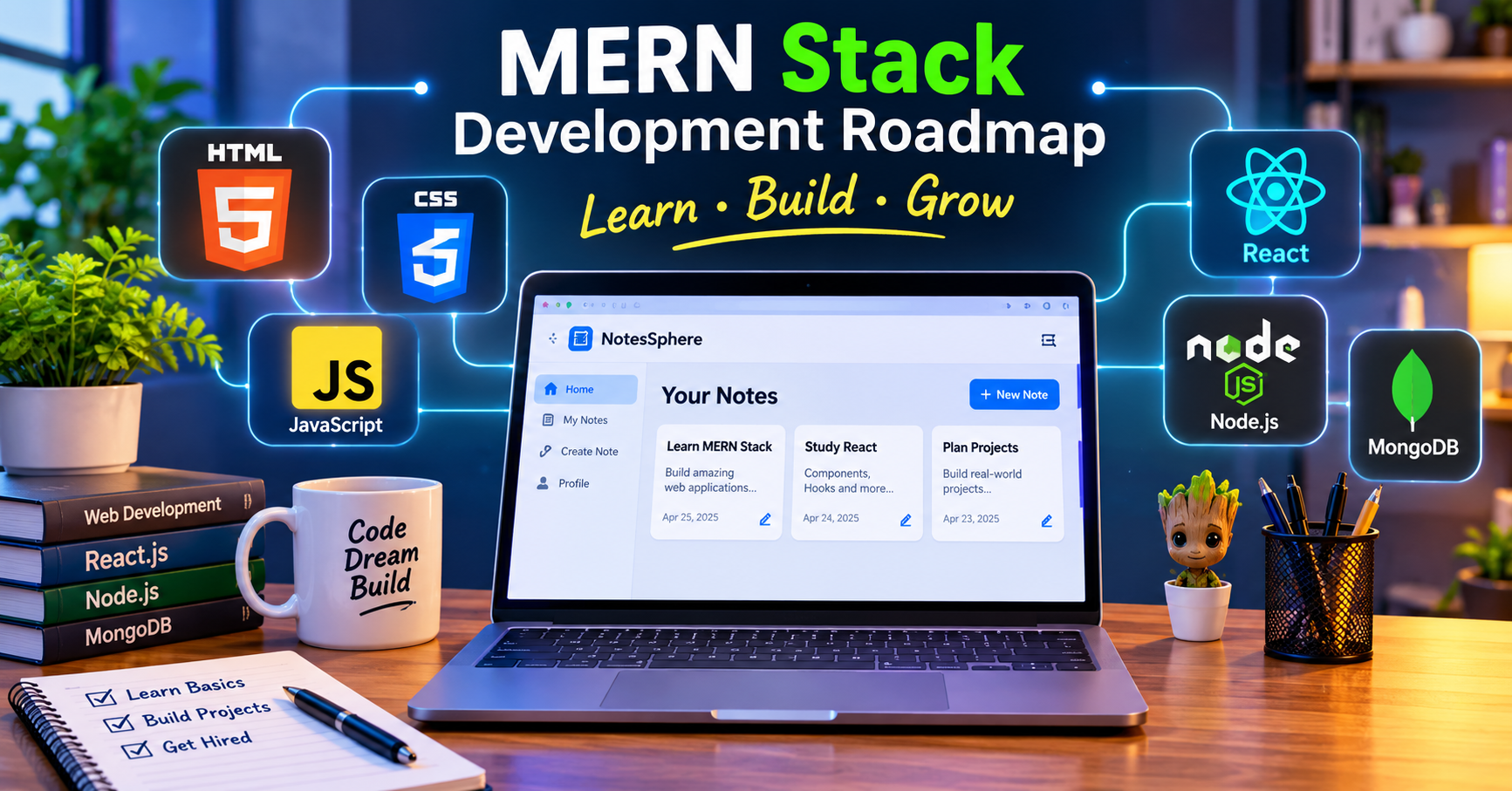
Introduction: Your Journey into Full-Stack Web Development
Web development is one of the most exciting fields in the technology industry. From simple websites and personal portfolios to complex platforms, dashboards and online applications, almost everything we use on the internet is built using web technologies.
However, beginners often face one major problem: Where should I start, what should I learn first, and how do different technologies work together?
Many learners start directly with React, Node.js or other frameworks without understanding the fundamentals. This often creates confusion when they try to build complete applications.
The solution is to follow a proper learning path.
In this guide, we will explore a complete MERN Stack Web Development Roadmap, starting from basic HTML and CSS and progressing towards advanced full-stack development, real-world projects, security and deployment.
What Is the MERN Stack?
MERN is a popular technology stack used to build full-stack web applications using JavaScript.
The name MERN comes from four technologies:
- MongoDB: A NoSQL database used to store application data.
- Express.js: A backend framework for building APIs and handling server requests.
- React.js: A frontend library used to build interactive user interfaces.
- Node.js: A JavaScript runtime that allows JavaScript to run on the server.
Together, these technologies allow developers to build complete applications using JavaScript across the frontend and backend.
How Does the MERN Stack Work?
A typical MERN application follows this flow:
- A user interacts with the React frontend.
- React sends an HTTP request to the backend.
- Express receives the request and processes it through routes and middleware.
- Node.js executes the backend logic.
- Mongoose communicates with MongoDB to retrieve or save data.
- The backend sends a JSON response to React.
- React updates the interface based on the response.
This architecture is useful for applications such as educational platforms, social networks, e-commerce websites, dashboards and content management systems.
Step 1: Learn HTML — The Structure of Websites
HTML (HyperText Markup Language) is the foundation of web development. It defines the structure and meaning of content displayed in a browser.
Before learning advanced technologies, understand how web pages are structured.
Topics You Should Learn
- Basic HTML document structure
- Headings, paragraphs and text formatting
- Links and navigation
- Images, audio and video
- Ordered and unordered lists
- Tables
- Forms and input elements
- Semantic HTML elements
- HTML attributes
- Accessibility basics
- Meta tags and page metadata
What Can You Build After Learning HTML?
You can create:
- Personal profile pages
- Basic portfolio websites
- Contact forms
- Static information websites
- Simple multi-page websites
Practice Exercise: Create a personal portfolio page containing your introduction, education, skills, projects and contact information.
Step 2: Learn CSS — Design and Responsive Layouts
After understanding HTML, the next step is CSS (Cascading Style Sheets).
HTML creates the structure, while CSS controls how that structure looks.
CSS helps you create professional layouts, colours, spacing, typography, animations and responsive designs.
Topics You Should Learn
- CSS selectors and properties
- Colours, backgrounds and borders
- Font families, sizes and typography
- Margin, padding and the box model
- Display and positioning
- Flexbox
- CSS Grid
- Pseudo-classes and pseudo-elements
- Transitions and transforms
- Media queries
- Responsive web design
- CSS variables
Responsive Web Design
A website should work properly on mobile phones, tablets, laptops and desktops.
Learn mobile-first design and understand how to use Flexbox, Grid and media queries to create layouts that adapt to different screen sizes.
What Can You Build After Learning CSS?
- Responsive navigation bars
- Login and registration pages
- Professional landing pages
- Card layouts and dashboards
- Responsive portfolios
- Modern website interfaces
Practice Exercise: Build a responsive portfolio website with a navbar, hero section, skills section, project cards and footer.
Step 3: Learn JavaScript — The Most Important Foundation
JavaScript is the programming language that makes websites interactive.
It is also the main language used throughout the MERN stack, making it one of the most important subjects to understand properly.
Do not rush this stage. Strong JavaScript fundamentals will make React and Node.js much easier to learn.
JavaScript Fundamentals
Start with:
- Variables:
let,constandvar - Data types
- Operators
- Conditional statements
- Loops
- Functions
- Arrays
- Objects
- Strings
- Numbers and dates
- Array methods such as
map,filter,reduceandfind - Scope and hoisting
Intermediate JavaScript
Once you understand the basics, learn:
- DOM manipulation
- Event handling
- Form validation
- Destructuring
- Spread and rest operators
- Template literals
- ES modules
- Error handling
- Callbacks
- Promises
- Async and await
- Fetch API
- JSON
- Browser storage
Advanced JavaScript Concepts
Continue with:
- Closures
- Higher-order functions
- Prototypes
- Classes
- The
thiskeyword - Event loop
Promise.allandPromise.allSettled- Debouncing and throttling
- Shallow and deep copying
- Memory and performance basics
What Can You Build After Learning JavaScript?
- Calculator applications
- To-do list applications
- Quiz applications
- Interactive forms
- Search and filtering systems
- Weather applications using APIs
- Dynamic dashboards
Practice Exercise: Build a to-do application with add, edit, delete and complete functionality. Save the tasks in localStorage.
Step 4: Learn Git and GitHub
Git and GitHub are essential tools for modern software development.
Git helps you track changes in your code, while GitHub allows you to store and share repositories online.
Topics You Should Learn
- What is version control?
- Git installation and configuration
git initgit statusgit addgit commitgit pushandgit pull- Branches and merging
- GitHub repositories
- README files
.gitignore- Pull requests and collaboration
What Can You Do After Learning Git and GitHub?
- Maintain project history
- Work on multiple features using branches
- Collaborate with other developers
- Share projects with recruiters
- Manage code changes safely
Practice Exercise: Upload your portfolio project to GitHub. Create a separate feature branch, make changes and merge it into the main branch.
Step 5: Learn Node.js — Start Backend Development
After learning frontend fundamentals, move towards backend development.
Node.js is a JavaScript runtime that allows you to execute JavaScript outside the browser.
It is commonly used to create servers, APIs, command-line tools and backend applications.
Topics You Should Learn
- What is Node.js?
- Node.js installation
- npm and package.json
- Modules and imports
- CommonJS and ES modules
- File system module
- Path module
- Process and environment variables
- Asynchronous programming
- Event loop
- HTTP module
- Error handling
What Can You Build After Learning Node.js?
- Basic web servers
- Command-line tools
- File-processing applications
- Automation scripts
- Backend services
Practice Exercise: Create a Node.js application that reads a text file and calculates the total number of words.
Step 6: Learn Express.js — Build Backend APIs
Express.js is a lightweight framework for Node.js that makes backend development easier.
It helps developers create routes, handle requests, manage middleware and build REST APIs.
Topics You Should Learn
- Express installation and setup
- Request and response objects
- Routing
- HTTP methods: GET, POST, PUT, PATCH and DELETE
- Route parameters and query parameters
- Middleware
- Custom middleware
- REST API architecture
- Request body handling
- Status codes
- Input validation
- Error handling
- CORS
- Authentication and authorisation basics
- Pagination and filtering
- File uploads
Understanding REST APIs
A REST API allows the frontend and backend to communicate using HTTP requests.
For example, a notes application might use these endpoints:
GET /api/notes— Retrieve all notesGET /api/notes/:id— Retrieve a particular notePOST /api/notes— Create a new notePATCH /api/notes/:id— Update a noteDELETE /api/notes/:id— Delete a note
What Can You Build After Learning Express.js?
- Login and registration APIs
- Notes management APIs
- Blog management APIs
- User profile APIs
- Comment systems
- Admin dashboard APIs
Practice Exercise: Create a REST API for managing books with create, read, update and delete operations.
Step 7: Learn MongoDB and Mongoose
Every full-stack application needs a way to store and retrieve information.
MongoDB is a NoSQL document database that stores data in flexible document structures.
Mongoose is an Object Data Modeling (ODM) library commonly used with MongoDB in Node.js applications.
MongoDB Topics
- Databases, collections and documents
- BSON and JSON
- Insert operations
- Find operations
- Update operations
- Delete operations
- Query filters
- Sorting and pagination
- Indexes
- Aggregation pipeline
- Embedded documents and references
- Database security and backups
Mongoose Topics
- Database connection
- Schema creation
- Models
- Data types
- Required fields and validation
- Default values
- CRUD operations
- References and populate
- Timestamps
- Indexes
- Error handling
What Can You Build After Learning MongoDB?
You can create persistent data systems for:
- User accounts
- Educational notes
- Blog posts
- Comments
- Product listings
- Course information
- Application settings
Practice Exercise: Design a database for a notes platform with users, notes and comments collections. Create schemas and implement CRUD operations.
Step 8: Learn React.js — Build Modern Frontend Applications
React is a JavaScript library for building component-based user interfaces.
It helps developers create reusable components and manage changing application data efficiently.
Before starting React, make sure you understand JavaScript functions, arrays, objects, modules and asynchronous programming.
React Fundamentals
- React setup
- JSX
- Components
- Props
- State
- Event handling
- Conditional rendering
- Rendering lists
- Keys
- Component composition
- Forms
- Controlled components
React Hooks
Learn the commonly used hooks:
useStateuseEffectuseContextuseRefuseMemouseCallback- Custom hooks
Understand when and why to use each hook rather than memorising their syntax.
Intermediate React
- React Router
- Nested routes
- Route parameters
- Protected routes
- API integration
- Fetch and Axios
- Context API
- State management
- Error and loading states
- Lazy loading
- Code splitting
- Component testing
- Accessibility
What Can You Build After Learning React?
- Single-page applications
- Admin dashboards
- Student portals
- Notes platforms
- E-commerce interfaces
- Blog applications
- Interactive web applications
Practice Exercise: Build a notes listing application in React with search, category filters, note details and API integration.
Step 9: Connect All Four Technologies — Build Your First MERN Application
Now you have learned the individual technologies. It is time to connect them.
A typical MERN project has three main parts:
- Frontend: React
- Backend: Node.js and Express.js
- Database: MongoDB
How the Complete Application Works
- The user opens your React application.
- The user submits a form or performs an action.
- React sends a request to the Express API.
- Express validates the request and calls backend logic.
- Mongoose communicates with MongoDB.
- MongoDB returns the requested information.
- Express sends a JSON response.
- React displays the updated information.
Features to Implement
- User registration
- User login and logout
- User profiles
- Create and manage notes
- Create and manage blog posts
- Search and filtering
- Comments
- File uploads
- Admin dashboard
- Protected pages
Practice Exercise: Build a complete notes management application where users can register, log in, create notes and manage their own content.
Step 10: Authentication, Security and File Uploads
A real-world application must protect user accounts and application data.
Authentication Topics
- Password hashing
- Sessions and cookies
- Token-based authentication
- JSON Web Tokens (JWT)
- OAuth basics
- Email verification
- OTP verification
- Password reset
- Protected routes
- Role-based access control
Important Security Concepts
- Server-side input validation
- XSS prevention
- CSRF protection where applicable
- CORS configuration
- Rate limiting
- Secure HTTP headers
- Environment variables
- Database permissions
- Secure password storage
- File upload validation
- HTTPS
Never store passwords in plain text or expose secret API keys in frontend code.
File Uploads
Learn how to upload and manage:
- PDF documents
- Images
- Profile pictures
- Educational notes
- Other supported documents
For production applications, understand the difference between temporary local storage and durable cloud/object storage.
Practice Exercise: Add secure PDF uploading to your notes application. Store file metadata in MongoDB and implement permission checks before downloads.
Step 11: Testing and Debugging
Writing code is only one part of development. You must also understand how to test and debug it.
Topics You Should Learn
- Browser developer tools
- Console and Network tabs
- Breakpoints
- Error messages and stack traces
- Unit testing
- Integration testing
- React component testing
- End-to-end testing
- API testing
- Debugging database queries
Practice Exercise: Test your login system, notes CRUD operations, file uploads and protected routes. Check what happens when invalid data is submitted.
Step 12: Deployment — Make Your Website Live
Once your application works locally, the next step is deployment.
Deployment makes your application accessible to users through the internet.
Topics You Should Learn
- Development vs production environments
- Environment variables
- Production builds
- Hosting frontend applications
- Hosting Node.js backend applications
- MongoDB Atlas
- Domain and DNS configuration
- HTTPS and SSL
- CORS in production
- Logs and monitoring
- Database backups
- Error handling in production
Practice Exercise: Deploy your MERN application, connect it to a production database and test its important features using the live domain.
Step 13: Advanced Topics — Move Towards Professional Development
After building and deploying complete MERN applications, start learning advanced engineering concepts.
Advanced Frontend Development
- TypeScript
- Advanced React patterns
- State management
- Server-state management
- Performance optimisation
- Lazy loading
- Code splitting
- Accessibility
- Internationalisation
- Design systems
Advanced Backend Development
- Layered architecture
- API versioning
- API documentation
- Redis and caching
- Background jobs
- Message queues
- WebSockets
- Real-time applications
- Database indexing and optimisation
- Logging and monitoring
- Horizontal scaling
Software Engineering Practices
- Clean code
- Modular architecture
- Design patterns
- CI/CD pipelines
- Code reviews
- Automated testing
- Security reviews
- System design
- Performance monitoring
Remember: advanced development is not about using as many tools as possible. It is about selecting the right tools, understanding trade-offs and building reliable applications.
A Practical 24-Week MERN Stack Learning Roadmap
Here is a sample schedule to organise your learning journey.
| Weeks | Learning Focus | Practical Output |
|---|---|---|
| 1–2 | HTML | Multi-page website |
| 3–4 | CSS | Responsive portfolio |
| 5–6 | JavaScript fundamentals | Programming exercises |
| 7–8 | DOM and asynchronous JavaScript | Interactive applications |
| 9 | Git, GitHub and Node.js basics | Version-controlled project |
| 10–12 | Express and MongoDB | REST API |
| 13–14 | React fundamentals | Component-based frontend |
| 15–16 | React routing and API integration | Connected frontend |
| 17–18 | Authentication and file uploads | Full-stack features |
| 19–20 | Testing and security | Tested application |
| 21 | Deployment | Live application |
| 22–24 | Advanced topics and capstone | Complete project |
This is a suggested plan, not a fixed deadline. Spend additional time on any topic that you find difficult.
Best Projects to Build While Learning
Do not depend only on tutorials. Build projects at every stage.
Beginner Projects
- Personal portfolio website
- Calculator
- Quiz application
- To-do list
- Responsive landing page
Intermediate Projects
- Weather application using an API
- Search and filtering dashboard
- Blog frontend
- Book management REST API
- Student information system
Advanced MERN Projects
- Complete notes-sharing platform
- E-commerce application
- Learning management system
- Job portal
- Social networking application
- Blog management platform
- Real-time chat application
For every project, try to write a README, use GitHub, handle errors and explain the technical decisions you made.
Common Mistakes Beginners Should Avoid
- Starting React without understanding JavaScript.
- Copying tutorial code without understanding it.
- Skipping HTML, CSS and responsive design fundamentals.
- Learning too many frameworks at the same time.
- Ignoring backend validation and security.
- Storing passwords in plain text.
- Putting secret keys in frontend code.
- Deploying without testing.
- Building large projects without planning their structure.
- Watching tutorials without writing code independently.
The best way to improve is to learn a concept, practise it, build a small project and then use it in a larger application.
Conclusion: Start Small, Build Consistently and Keep Improving
Becoming a full-stack developer is a journey that requires patience and consistent practice.
Start with HTML, CSS and JavaScript. Build a strong foundation before moving to React. Then learn Node.js, Express.js and MongoDB to understand backend development and databases.
Once you understand the individual technologies, connect them and build complete applications using the MERN stack.
You do not need to master everything in one day. Focus on one topic at a time, complete practical exercises and gradually increase the complexity of your projects.
Your goal should not be just to learn the MERN stack. Your goal should be to understand how complete web applications are designed, developed, tested, secured and deployed.
Keep learning, keep building and turn your knowledge into real-world projects.
Start your MERN Stack journey with the complete topic-wise roadmap and practical exercises available in the accompanying PDF guide.
Comments (0)
No comments yet
Be the first to share your thoughts and start the discussion.